

ENGLISH LEARNING GUIDE
Learn English with YouTube: from captions to vocabulary cards
Find a channel, try a short study routine and turn YouTube's English captions into vocabulary flashcards.
Short answer: Pick a short video you can follow, replay with English captions and save unfamiliar words with their sentences. Recall them the next day. Scenelex turns vocabulary at your chosen levels into flashcards.
What do you need?
To capture subtitles, use Chrome on a computer, the Scenelex Companion extension, a free Scenelex account and English captions. Review cards on your phone later. Pasting a video URL alone does not create a list.
The screenshots show Scenelex's Turkish interface; you can use the English interface. Vocabulary definitions and examples are in English.
Which YouTube channels should you start with?
Look for clear audio, a familiar topic and available English captions. Two starting points:
- Basic conversations: explore Let's Learn English on VOA Learning English. VOA describes this series as designed for beginning learners.
- Vocabulary around a topic: try BBC Learning English's 6 Minute English. The example Climate and extreme weather includes a discussion and vocabulary recap. The list below was created from this video.
Listen to a minute. If you cannot explain the topic, choose something easier. If only a few expressions are unfamiliar, try it for vocabulary practice. Check each video's captions: text embedded in the picture is not a selectable subtitle track.
How should you study with a YouTube video?
- Watch for the main idea. Avoid stopping at every word on the first pass. Summarise the short video or section in one sentence.
- Replay with English captions. Pause at an unfamiliar expression and listen again. Match what you hear to the written sentence.
- Keep the list small. Start with a maximum of 10 words in Scenelex and practise the ones you find difficult.
- Recall without the video. Answer before revealing a card, make your own sentence, then revisit the words on your next study day.
Add spoken summaries or conversation for speaking practice; watching alone does not cover every language skill.
Create vocabulary flashcards from YouTube subtitles in 4 steps
1. Install the extension and sign in
Add Scenelex Companion from the Chrome Web Store. Sign in to Scenelex in the same Chrome profile. Return to your YouTube video and check that the extension is connected.
2. Enable English captions and play
Use the video's regular watch page. Open the player's settings and choose Subtitles/CC → English. Prefer creator-supplied captions when available; English (auto-generated) can also work. Enable CC and play. See YouTube's caption settings help if needed.
The extension captures captions loaded by the player; it does not download videos or transcribe audio. Check the captured line count. Caption lines are not a flashcard count.
3. Choose word levels and a maximum count
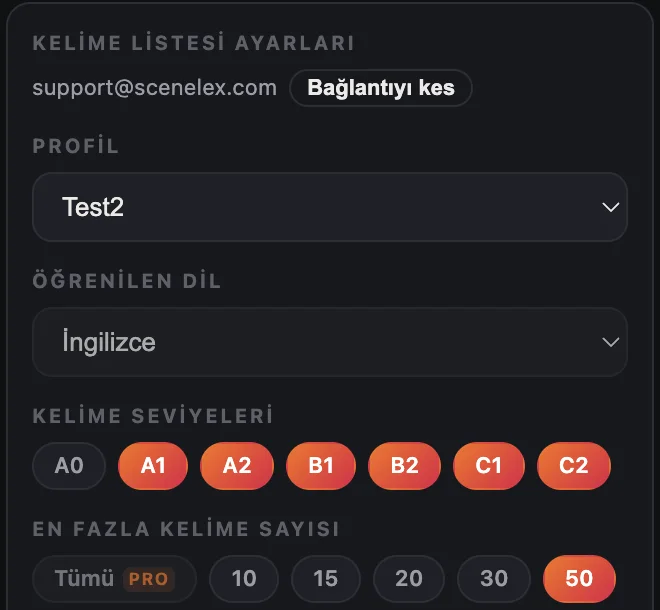
Select your profile, vocabulary levels and maximum words. B1–B2 selects vocabulary at those levels; it does not assess you. Start with 10 words.
4. Create and check your list
Press Create word list to send the captured subtitles to Scenelex for processing. Suitable words become cards; words marked I know it in the same profile are excluded. The maximum is a limit, not a promised number of cards.
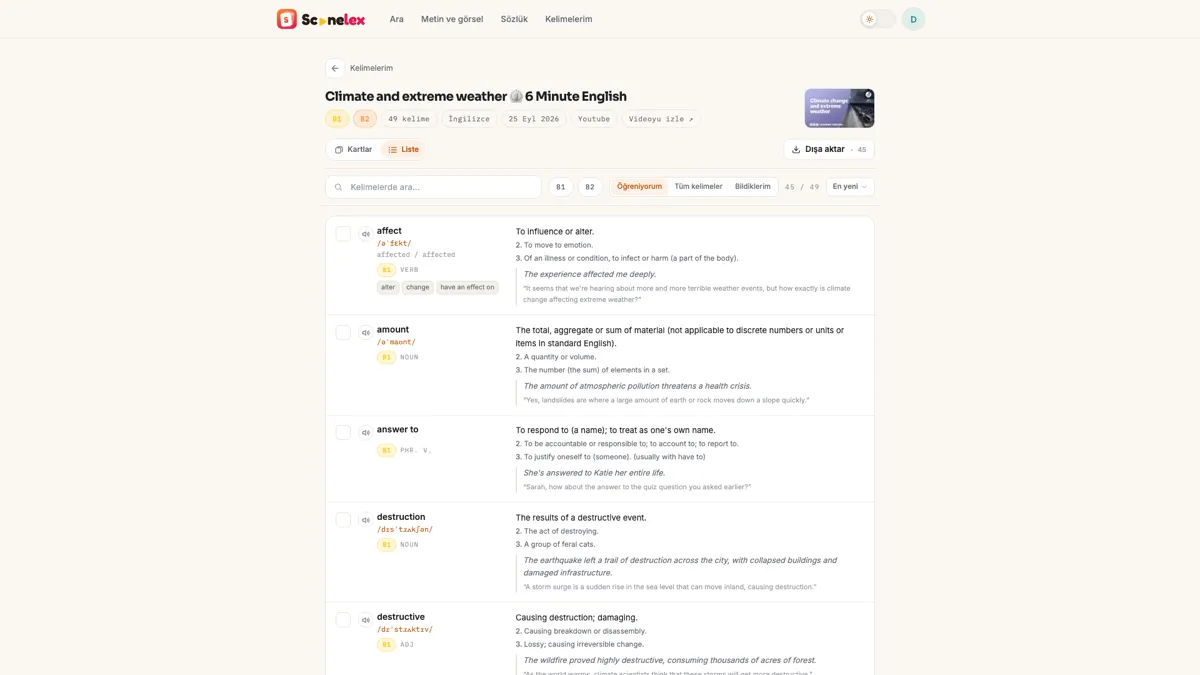
Compare a few sentences with the recording. Automatic captions can contain errors. For selection rules, see which subtitle words become flashcards.
Practise the meaning used in the video
The surge card separates its meaning in a weather discussion from other meanings. Recall that meaning before revealing the answer.
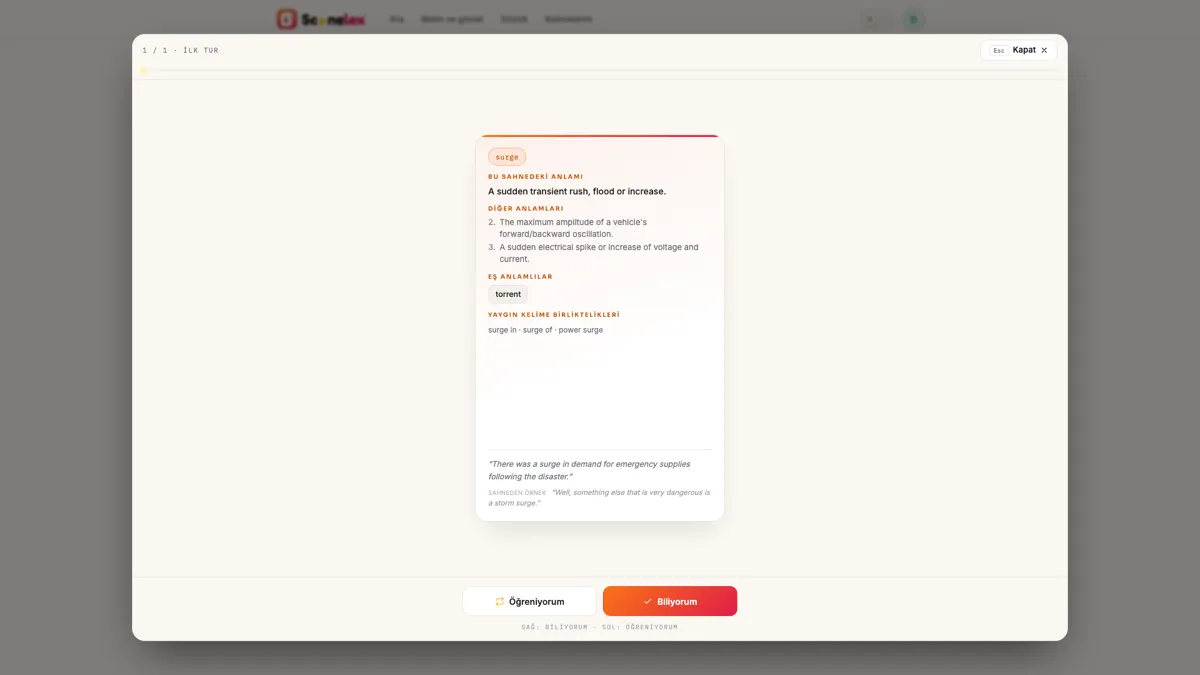
Then try another situation: There was a surge in calls after the announcement. This practice sentence was written for this guide, not quoted from the video. Context selection can also be wrong; compare the scene and other meanings if a card seems unsuitable.
Review on your phone or export to Anki
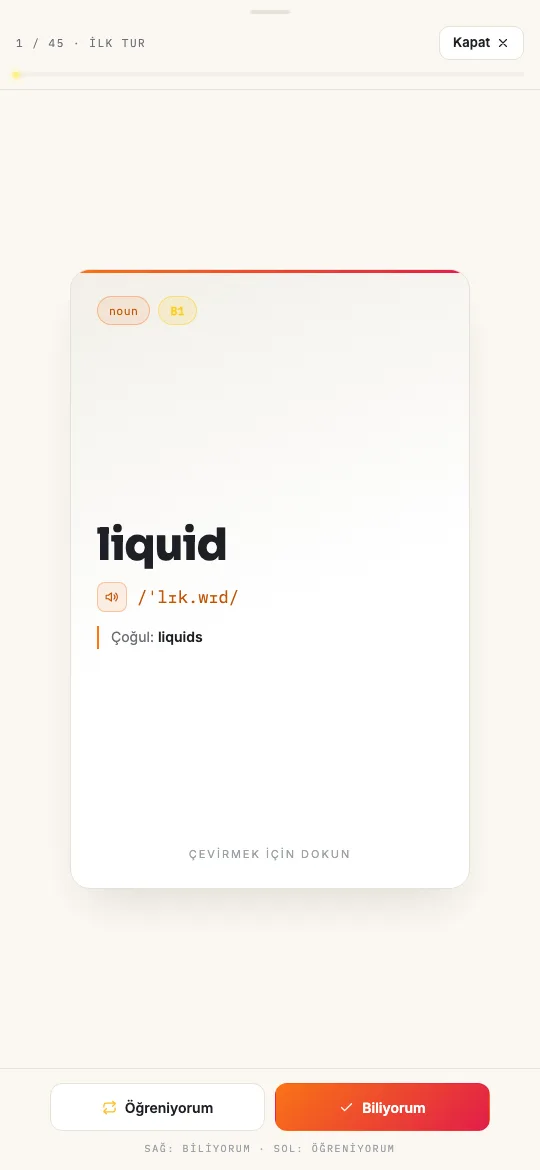
Open the same account and profile in your phone's browser. Recall the meaning before turning the card. Choose Still learning to see it again during the study session, or I know it when you remember it.
For Anki, download Anki (.csv) from the list and check the front/back field mapping when importing; see the Anki guide. It contains text cards, not audio or video clips. Quizlet, PDF and Word are also available; see the export instructions.
Can I create flashcards for free?
Yes. Free includes up to 4 word lists per month within your usage allowance, with up to 50 words per list. Flashcard practice and exports to Anki, Quizlet, PDF and Word are included. You can try dictionary lookup and screenshot import once each. Longer or more complex content can use up your allowance faster. No credit card is required. Pro provides more usage and lets you go beyond 50 words per list. See the current plans and limits.
If YouTube captions are not captured
- Waiting for subtitles: enable English captions and play. If needed, reload and try again; opening the extension alone is not enough.
- No English captions: choose another video with an English track. Text embedded in the picture does not replace captions.
- Shorts or embedded player: this workflow uses YouTube's regular watch page. Open the video there.
- Short or empty list: check the levels, captured text and known words in your profile. A limit of 50 does not guarantee 50 new words.
Frequently asked questions
Can a complete beginner learn English on YouTube?
Beginner lessons can help with basic expressions. Choose short, explained lessons if every sentence feels difficult, and make time for speaking, listening and grammar alongside vocabulary.
Should I use English captions or translations?
This workflow needs English captions. Use explanations when necessary, then return to the English sentence. Scenelex's definitions and examples are in English.
Do I need YouTube Premium?
No Premium feature is needed. Choose an accessible video with English captions; Scenelex does not unlock restricted content.
Can I capture captions while watching YouTube on my phone?
The extension workflow requires Chrome on a computer. On your phone, review existing cards or paste English text into Scenelex; see the text-to-list steps.
Does Scenelex keep the full transcript?
Raw subtitles are not kept as a permanent archive. Vocabulary cards and their scene sentences remain in your account. Read the privacy policy for details.
Create your first list from a video
Choose a short video with English captions, start with up to 10 words and review your cards.
Start freeNo credit card required. Capturing video subtitles needs Chrome on a computer and Scenelex Companion.
Related guides: Learn English with Netflix · Subtitles to vocabulary flashcards · Anki for English vocabulary · All learning guides